Play CD / DVD Image ISO, NRG, IMG Files Directly In VLC Player Without Burning Them To CD DVD

Advertisements

Many of my friends have movies copied from cd or dvd’s as image files as img, iso and nrg images, so in order to play the movie inside these images files we use several image mounting tools which lets you mount these images on the virtual drive or other hand some people burn these images to cd and dvd discs
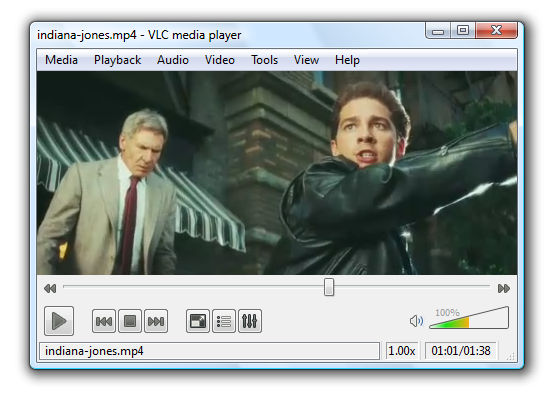
vlc-player

Today, we will tell you a simple trick which lets you play these images itself directly in the VLC player.

In order to play these image files directly on VLC player, you simply need to right click on the image file and select open with >> choose program and choose VLC Player in the list of programs.
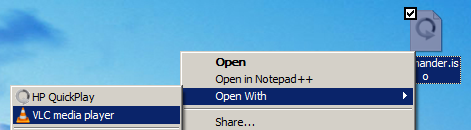
open-with-vlc-player

That’s it, but you can play only those images files which are movies, songs etc you cannot play cd dvd images of games or software cd / dvd images. Please post your queries regarding the above trick in the form of comments through this post.

You can follow us on Twitter or join our Facebook Fan Page for more updates like this and You can also ask a problems related to computers or technology on Ask Technix Update and get your solutions faster.

Other Related Interesting Articles

Author + Admin: Abhishek Bhatnagar
- Professional blogger by passion, Software Enggineer. I love to write about useful computer tips & tricks. Connect with me at twitter or on google+ profile or mail me at abhishek@technixmedia.com or know me more on www.abhishekbhatnagar.com

One Comment

  1. cirovladimir says:

    Great!

    Default movie player in ubuntu -totem- can’t do this, you should mount the image file first in order to play it. I was trying to do the same with vlc not knowing that it was easier with vlc, just right click and play.

    Thanks!

Leave a Reply