WebZipExplorer is a free software which will let you download the selected files from a zip file from any website on the internet.
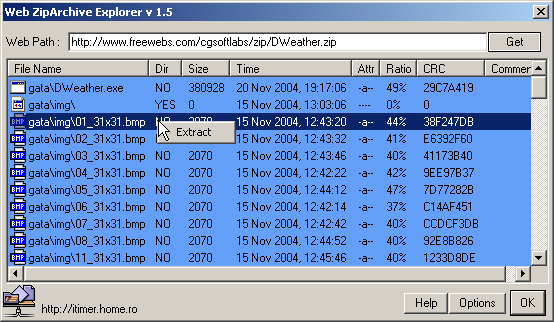
It has ftp support, but you will need to have Internet Explorer 5 or higher installed to get this tool working on your computer.
You can download any of the files inside the zip archive on any website with this tool, you just need to copy and paste the download path to the zip file and then select the file from the archive which you want to download. Right click on the file and select extract.
2 replies on “WebZipExplorer – Download Selected Files In A Zip Archive From A Internet WebSite”
[…] here: WebZipExplorer – Download Selected Files In A Zip Archive From A Internet WebSite Share and […]
I was using ArchView firefox addon to do this. Thanks for sharing.