Recently, I was searching for a utility that can be used for using the windows clipboard more effectively for fast and easy copy paste of any text/image simply with a keyboard shortcut.
I found many application on web that solve the purpose but I don’t want to buy any application for this task, after a lot of googling I found lot of utilities like Yclipper , Clipboard History etc.
But still none of them were so much powerful in their freeware mode, then I found ClipX which is completely free.
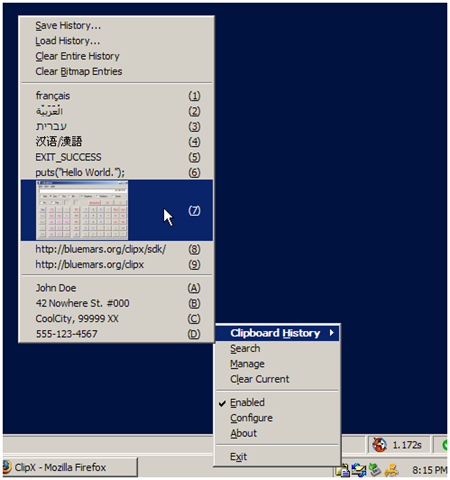
What is ClipX?
ClipX is a tiny clipboard history manager, it can be recalled via a hotkey and supports both bitmap and text clipboards. It can be used to manage and increase the features of your regular windows clipborad.
As, already said it can be used to copy any type of text, image or file in windows.
Let’s see how can you configure and use it.
Configuration of ClipX:
1. Double click on the tray icon of ClipX or just start it from all programs
2. Now click on the hotkeys option in the left sidebar and set your hotkey for secondary paste and other options (as shown in the image below).

3. Click OK
Usage of ClipX:
1. Press the secondary paste hotkey followed by the number of the item in the clipboard history which you want to paste.
This small utility can be very productive at many times specially when you are doing programing for some application.
Tip: You can also search inside the ClipX clipboard history, explore ClipX to know how.
One reply on “Use windows clipboard more effectively with Clipx”
Nice tip and good to see that its a freeware