NTFS Undelete is a paid program which lets you recover any deleted file on your hard drive, it will recover irrespective of file has been emptied from recycle bin or you had press shift+delete to delete the file.
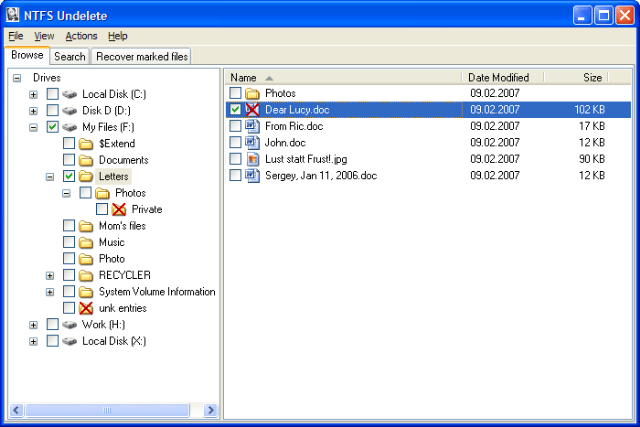
It will not only recover the deleted and erased files from NTFS file system but also from other file system in windows including FAT and FAT32. But before you use this tool for recovery you should better know what happens when you delete a file on your computer.
When you delete a file, its content remains physically intact but the space occupied by the file is marked as free and can be allotted to any new file created. So the next file created/copied/saved to disk can overwrite the content of the deleted file and make it very difficult for you to recover that file.
Note: It is very important that no application writes on the hard disk partition from where the file has been deleted and small new file can create problems.
Follow the procedure below to recover the files that has been deleted
1. Do not open or close files and applications on your computer as many applications create temporary files
2. If the file has been deleted on the C drive you should not install NTFS Undelete on the C drive which is the default location for installation
3. If you have only partition on your computer you should not install NTFS Undelete you can download the ISO image of NTFS Undelete program but remember to use another computer to burn the image to cd or dvd
4. If the deleted files are not on the system drive on your computer, then you can download NTFS Undelete Windows Installer Program
5. Using the program to recover your deleted files is quite simple when you follow all the steps given above very safely as they are described, Have a happy data recovery
One reply on “NTFS Undelete – Recover Deleted Files On NTFS File System”
NTFS Undelete is *NOT* a free program!!!!
They want $39.95 for a license.