One of the most annoying this I had experienced in windows is when ever I play a game on my desktop or laptop after resuming back from the game. I was used to find my desktop cluttered and all the desktop icons scattered every where.
This was really frustrating for me, as I had to rearrange them on the desktop area for easy accessibility. DeskLock is such free software which lets you lock your desktop icons locations so that they can not move from the specified positions you had set.
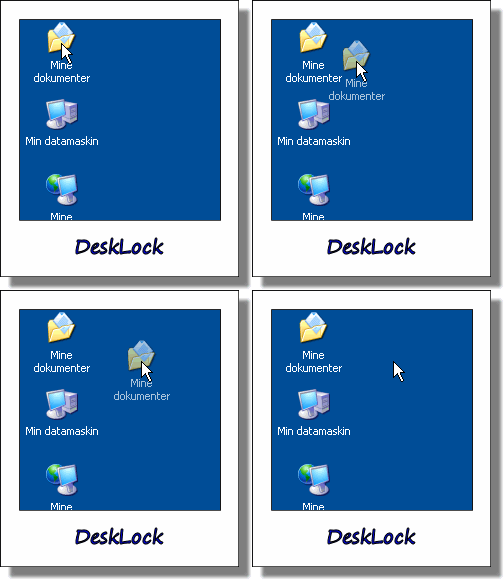
You just need to make sure that this small utility is running in the system tray and irrespective of what ever you do the desktop icons will not move from their locations
You can any time disable or enable the DeskLock by double clicking the tray icon in system tray. It is optional to disable left drag and right mouse button for moving the desktop icons
One reply on “DeskLock – Lock Desktop Icons – Prevent The Movement Of Desktop Icons – Fix Desktop Layout”
I use icon restorer:
http://freesoftland.sytes.net/iconrestorer.html
Although it doesn’t say so in the write-up, it works without the program running. Just start it, save the icon positions and close. Re-start, if and when you need it and restore.